





How to safely disconnect your Tesla charger
The best parts of owning an electric car aren't just the incredible fuel savings and environmental benefits. It's also the convenience of charging your Tesla. However, while electric car charging is becoming increasingly popular in Ukraine, it is important to keep in mind a few important safety rules when it comes to disconnecting the charger. This article will help you to disconnect the charger correctly and safely [...]
Content:
The best parts of owning an electric car aren't just the incredible fuel savings and environmental benefits. It's also the convenience of charging your Tesla. However, while electric car charging is becoming increasingly popular in Ukraine, it is important to keep in mind a few important safety rules when it comes to disconnecting the charger.
This article will help you disconnect your Tesla charging cable correctly and safely to avoid damage and ensure the longevity of your vehicle and charging station.
We remind you that you can purchase home and commercial charging stations in our online storeand also use the public charging stations ECOFACTORcharging points located throughout Ukraine. For convenient access to charging infrastructure, we recommend using our mobile applicationwhich is available on iOS and Android.
Ease of use, but also some difficulties
Joining the electric car revolution with your Tesla is an exciting time. However, while Tesla offers many innovative features and accessories that make it a unique brand, navigating the world of public and home charging stations can be a challenge.
Therefore, we recommend that you also read the materials on using the Tesla Supercharger to learn more about the benefits of this network. Access to infrastructure solutions such as fast charging stations makes the charging process convenient and fast, but sometimes even simple operations such as unplugging the charger can be difficult.
But don't worry, it's quite simple! Let's take a look at how to safely disconnect the charging cable together.

How to disconnect your Tesla charger: step-by-step instructions
Disconnecting the Tesla charger consists of 4 simple steps that work for all Tesla models:
- Unlock your Tesla
- Release the latch
- Pull the connector out of the charging port
- Allow the charging port door to close automatically
This is a basic instruction that applies to all Tesla models. If you're not sure how to disconnect the cable correctly, let's take a look at the steps for each Tesla model.
How to disconnect the Tesla charger: Model Y
You can stop charging and disconnect the cable in your Model Y at any time. To do this:
- Unlock the Model Y with your key or smartphone.
- Press and hold the button on the connector handle to release the latch.
- Pull the connector out of the charging port.
- Allow the charging port door to close automatically.
Note: To prevent unauthorised disconnection of the Tesla cable, the cable latch will remain locked. Make sure your Model Y is unlocked or your smartphone is authenticated to disconnect the charging cable.
Alternative ways to close the charging port door:
- Tap the charging port symbol on the vehicle status screen.
- Enter the on-screen menu and select: Control > Charging > Close charging port.
- Use a voice command.
Instructions for disconnecting the charging cable from a public charging station with an adapter:
- Make sure your Model Y is unlocked.
- Hold the charging handle with one hand and the adapter with the other.
- Press and hold the button while pulling out the handle and adapter.
Note: If the charging station handle becomes detached from the adapter while leaving the adapter in the Model Y, use the vehicle screen to unlock the charging port.
After disconnecting the connector, the port door will close automatically within 10 seconds. Other closing methods:
- Tap the charging port symbol on the screen.
- Select Manage > Charging > Close the charging port from the screen.
- Use a voice command.
How to disconnect the Tesla charger: Model S
The best way to disconnect your Model S from a J1772 public charging station is to remove both the charging station handle and the Tesla J1772 adapter at the same time:
- Unlock the Model S.
- Hold the charging station handle with one hand.
- Use your other hand to hold the J1772 adapter.
- Press the button and pull out both items at the same time.
- To disconnect the adapter from the pen, press and hold the button again.
Note: The Model S will automatically lock the adapter in the charging port when the charging station handle is disconnected from the adapter. For safe removal, use the vehicle screen to unlock the charging port.
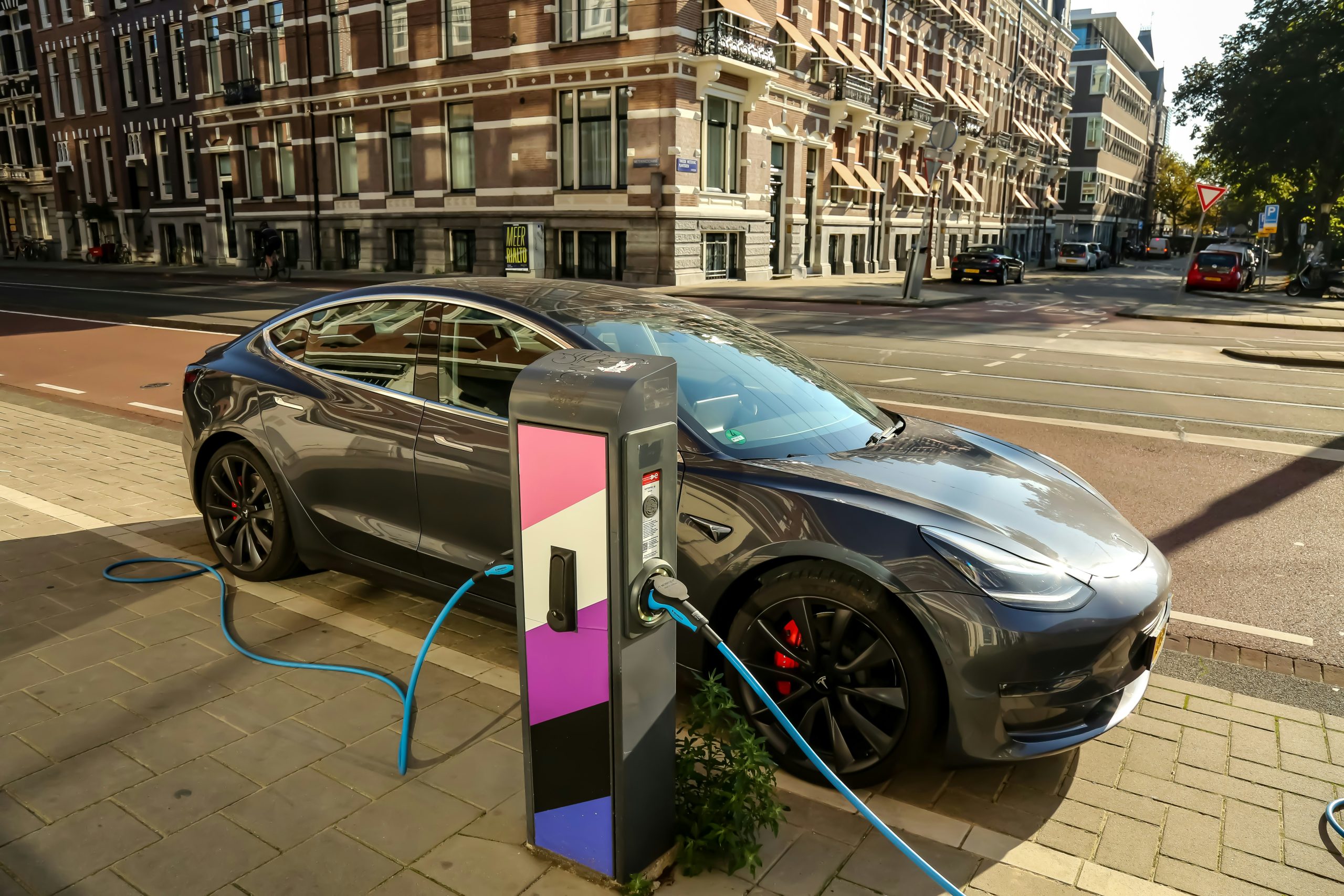
How to disconnect the Tesla charger: Model 3
You can stop charging and disconnect the cable in your Model 3 at any time. To do this:
- Unlock the Model 3 with your key or smartphone.
- Press and hold the button on the connector handle.
- Pull the connector out of the charging port.
- Allow the charging port door to close automatically.
Note: To prevent unauthorised disconnection of the Tesla cable, the cable latch will remain locked. Make sure your Model 3 is unlocked or your smartphone is authenticated to disconnect the charging cable.
Alternative ways to close the charging port door:
- Tap the charging port symbol on the vehicle status screen.
- Enter the on-screen menu and select: Control > Charging > Close charging port.
- Use a voice command.
Instructions for disconnecting the charging cable from a public charging station with an adapter:
- Make sure your Model 3 is unlocked.
- Hold the charging handle with one hand and the adapter with the other.
- Press and hold the button while pulling out the handle and adapter.
Note: If the charging handle becomes detached from the adapter while leaving the adapter in the Model 3, use the vehicle screen to unlock the charging port.
After disconnecting the connector, the port door will close automatically within 10 seconds. Other closing methods:
- Tap the charging port symbol on the screen.
- Select Manage > Charging > Close the charging port from the screen.
- Use a voice command.
How to disconnect the Tesla charger: Model X
You can stop charging in Model X and disconnect the cable at any time. To do this:
- Unlock Model X.
- Press and hold the button on the connector handle.
- Pull the connector out of the charging port.
- Allow the charging port door to close automatically.
Note: To prevent unauthorised disconnection of the Tesla cable, the cable latch will remain locked. Make sure your Model X is unlocked or your smartphone is authenticated to disconnect the charging cable.
Alternative ways to close the charging port door:
- Tap the charging port symbol on the vehicle status screen.
- Enter the on-screen menu and select: Control > Charging > Close charging port.
- Use a voice command.
Instructions for disconnecting the charging cable from a public charging station with an adapter:
- Make sure your Model X is unlocked.
- Hold the charging handle with one hand and the adapter with the other.
- Press and hold the button while pulling out the handle and adapter.
Note: If the charging station handle becomes detached from the adapter while leaving the adapter in the Model X, use the vehicle screen to unlock the charging port.
After disconnecting the connector, the port door will close automatically within 10 seconds. Other closing methods:
- Tap the charging port symbol on the screen.
- Select Manage > Charging > Close the charging port from the screen.
- Use a voice command.
The benefits of disconnecting the charger correctly
Electric vehicles are developing rapidly and every detail is important to ensure a continuous and enjoyable user experience. Properly and safely disconnecting the charger brings many benefits, including protecting the equipment, extending its lifespan, maintaining battery health and optimising it, and many more.
Let's take a closer look at why properly disconnecting the charging cable is not only a step towards extending the life of your vehicle and charging station.
Safety comes first
Some aspects of disconnecting your charger correctly are obvious, but it's always a good idea to pay attention to the most important points, especially when it comes to safety. Properly disconnecting the charging cable reduces the likelihood of electrical shocks and other dangerous situations, creating a safer environment for you and those around you.
Equipment durability
Properly disconnecting the Tesla charging cable ensures that the charging port and cable are not subjected to excessive stress, which will extend their lifespan and ensure that they work efficiently every time you need to recharge your car.
Maintaining battery health
Regularly disconnecting the charging cable correctly helps to avoid overcharging, which in turn preserves the health of your vehicle's battery. Improper charging cycles can lead to a decrease in battery capacity, so it is important to complete charging according to the appropriate procedure.
Cost-effectiveness
Proper care and use of equipment reduces wear and tear, which helps to avoid premature replacements and repairs. This, in turn, saves on long-term maintenance and repairs.
Optimal charging cycles
Electric vehicle owners who disconnect the charger only when the charging cycle is complete ensure that the battery is fully and efficiently charged, which helps to optimise performance and range. This not only improves efficiency, but also allows for longer autonomy.
An ecological approach
Make sure that you put the charging cable back in place correctly. This protects it from adverse weather conditions that could damage the equipment or reduce its efficiency. It also helps to reduce power consumption, which is an important aspect of conserving resources and protecting the environment.
Peace of mind
Knowing that you are doing the right thing gives you the confidence and peace of mind that comes with knowing that your vehicle and charging equipment are safe. It also helps you to care not only for your car, but also for the environment, which together we can preserve for future generations.
How to disconnect your Tesla charger: Additional tips
It's always a good idea to know how to use every part of your electric car properly. Now let's take a look at some useful additional tips for disconnecting the Tesla charging cable.
Check for damage
If you encounter difficulty disconnecting the charging cable, first check for damage. If the charger is damaged, it may not only be difficult to disconnect it, but also dangerous. In such cases, it is important to have the device repaired or replaced before it causes serious problems.
Contact a professional if problems persist
If you have done everything correctly, but the charging cable still won't disconnect, the best solution is to contact a professional. The problem may not only be with the charger, but also with the electric car itself.
Many things can go wrong when you try to disconnect a faulty charging cable, so it's best to leave it to the professionals who can properly diagnose and fix the problem.

Efficient charging of your Tesla: the ECOFACTOR solution
Correctly disconnecting the charger is of course an important step in the Tesla charging process. However, it is equally important to charge your car properly, which includes using high-quality charging stations and cables that can provide optimal conditions for your electric car.
Our solutions for charging electric vehicles
We offer a variety of charging stationsWe offer a wide range of solutions, from mobile to stationary, suitable for both home and business use. In our online store you will find everything you need - from cables and adapters to charging accessories. In addition, we offer charging stations with a capacity of up to 420 kW, allowing for fast and efficient charging of electric vehicles.
Our charging station network management platform allows you to monitor energy consumption, set flexible pricing and integrate new charging points without any difficulty. The solution also allows businesses to manage multiple stations simultaneously, which maximises efficiency and convenience.
ECOFACTOR EV Charging app: charging for everyone
To make charging even easier, we have developed a mobile app available for iOS and Android. With this application, you can:
- Easy to find charging stations on the map.
- Check their availability and schedule charging.
- Charge your car effortlessly.
- Integrate your charging station into a common network and monitor all parameters in real time.
We provide comprehensive support for both end users and businesses. If you need help choosing a charging station or accessories for your electric vehicle, our experts are always ready to help. You can contact us via our website or app.
Conclusion.
Properly disconnecting your Tesla charger is an important step to ensure safety, equipment durability and optimal performance of your vehicle. However, proper charging is equally important and depends on quality charging stations, cables and accessories to ensure the process is efficient and fast.
Thanks to the products and solutions from us at ECOFACTOR, you can be sure that your charging process is safe. We offer both mobile and stationary charging stations, as well as an online shop where you will find everything you need to charge your car. Using our mobile app, available on iOS and Android, you can easily locate charging stations and monitor the charging process.
Frequently asked questions
1. How can I disconnect my Tesla charger if it won't disconnect?
If the charger does not disconnect, try checking whether the vehicle is unlocked or whether your smartphone is authenticated to connect. If the problem persists, contact a specialist for diagnostics.
2. Can I charge my Tesla with the ECOFACTOR charging station?
Yes, ECOFACTOR charging stations are suitable for charging all Tesla models. They have a high power output that allows you to charge your car quickly and efficiently.
3. How does the ECOFACTOR EV Charging mobile charging app work?
The ECOFACTOR EV Charging app allows you to locate charging stations, check their availability and schedule your charge. You can also monitor the charging process in real time and integrate the station into your network.
4. Can I manually disconnect the charging cable if the charging port is blocked?
If the charging port is locked, use the vehicle's screen or an app to unlock it. Always avoid manual intervention to avoid damaging the system.
5. What should I do if the charger is damaged?
If you notice any damage to the charger, it is recommended that you stop using it immediately and contact a professional to repair or replace the equipment.
6. How do I use the charging cables and accessories correctly?
For safe charging, be sure to use high-quality cables and adapters that meet the requirements of your vehicle model. In our online store you will find all the accessories you need for optimal charging.


