

Table of contents:
Tesla is known for its innovation not only in cars but also in the digital solutions ecosystem. In 2025, Tesla owners will be able to extend the capabilities of their car with dozens of useful mobile apps. They help to monitor the charge, find charging stations, plan trips, save on charging, and integrate Tesla with a smart home. This article contains the most convenient and popular apps that will make owning a Tesla even more convenient.
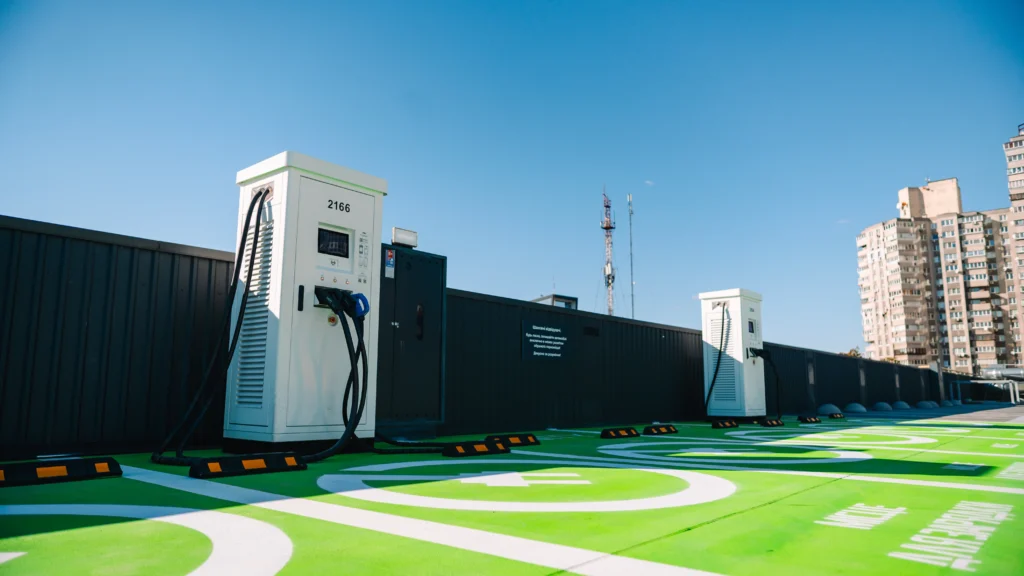
We remind you that you can purchase home and commercial charging stations in our online store and also use the public charging stations ECOFACTOR charging points located throughout Ukraine. For convenient access to charging infrastructure, we recommend using our mobile application which is available on iOS and Android.

1. ECOFACTOR EV Charging
With the ECOFACTOR EV Charging app, we bring together more than 180,000 electric vehicle drivers from Ukraine, Europe and Central Asia to provide convenient and easy access to charging infrastructure. We offer real control over the charging process: from filters by connector type and power to real-time session monitoring. You can find the nearest stationsto check their availability, book a charge 15 minutes before arrival, and conveniently pay via Apple Pay, Google Pay or bank card. The app is available for iOS and Android.
Whether you’re planning a short trip or a long route, our app helps you plan stops based on the working charges that match your car’s parameters. We also provide a history of charges and expenses, integrate with CarPlay, work on supporting new formats and are always ready to help through the in-app support service.
We also have an online shop where the following are available: cables, adapters (including for connection from a single-phase to a three-phase socket) and charging stations for home and commercial use.
Key points:
- Search for charging stations by connector and power
- Real-time status of stations
- Possibility of booking 15 minutes before arrival
- Start and stop charging right in the app
- Payment via Apple Pay, Google Pay or bank card
- CarPlay support and convenient session monitoring
Who is best suited:
- For owners of electric vehicles in Ukraine and abroad
- For users who want to see the real charging status
- For those looking for a reliable solution for planning trips and stops
- For drivers who value fast and easy payment without unnecessary steps

2. TezLab
TezLab is a third-party app for Tesla owners that provides advanced analytics and remote control of car functions. It records data on trips, energy consumption and efficiency, and allows the owner to see the history of charges, routes, and even compete with other users on performance metrics. In addition, the app provides basic capabilities for controlling the climate, charge and other car settings through its interface.
The application uses undocumented Tesla APIs, so it does not have official support from the manufacturer. The user is responsible for using the car’s control functions. Nevertheless, TezLab remains a handy tool for those who want to see more statistics and better understand the state of their electric vehicle.
Key points:
- Collecting and analysing travel and charging data
- Remote control of climate and charge level
- Compare performance with other users
- Interface to view your journey history and energy consumption
Who is best suited:
- Tesla owners who value trip analytics
- Those who want to remotely control car settings
- Users interested in gamification and performance ratings
3. Scan My Tesla
Scan My Tesla is a technical tool for collecting data from the diagnostic port of Tesla model S, 3, X and Y cars. A special OBD2 adapter is required to use it. The app provides access to a large amount of technical information in real time: battery temperature, voltage, current, power, torque, RPM and other indicators. Battery health assessment, trip statistics and data related to the powertrain system are also available.
Scan My Tesla is aimed at advanced users who want to get more information about the technical condition of their car. This is an unofficial application and the developers warn that some data may be inaccurate or change with car software updates.
Key points:
- Real-time monitoring of the technical condition of the battery and drives
- Trip statistics, including recovery and charge
- Support for all major Tesla models
- Requires a special OBD2 adapter for connection
Who is best suited:
- Tesla owners with a technical background
- Users who want to monitor battery degradation
- Electric car analysts who analyse car performance and consumption

4. Spotify
Spotify is a universal app for listening to music, podcasts and audiobooks, supported in Tesla through integration or mobile connection. It allows you to create your own playlists, get personalised recommendations and save music for offline listening. In Tesla, it is often used for background music during trips or while stuck in traffic.
With its simple interface and the ability to control it via your car’s touchscreen or voice commands, Spotify is a convenient solution for everyday use. The paid version removes adverts and provides access to advanced features, including offline listening.
Key points:
- Large database of music, podcasts and audiobooks
- Integration with Tesla via Bluetooth or built-in system
- Ability to listen offline
- Playlists based on personal tastes
Who is best suited:
- Tesla owners who appreciate high-quality music on the road
- Users who listen to podcasts while travelling
- Those who want to have convenient integration with other devices through their account
5. Remote for Tesla
Remote for Tesla provides Tesla drivers with advanced remote car control capabilities via iPhone, Apple Watch, or Siri Shortcuts. Users can view battery statistics, energy consumption, save routes, and automate commands based on conditions such as Wi-Fi connection or time of day. The app supports voice control, HomeLink, Summon, Dog Mode and Camp Mode.
The app does not store personal data and works directly with the Tesla API. Commands can be executed even after the app is closed. There is also a monitoring function without access to the control panel, which allows you to transfer your login to other people without the risk of changing the car settings.
Key points:
- Full support for Siri, Shortcuts and Apple Watch
- Automate actions based on conditions or schedule
- Detailed statistics on battery, journeys and efficiency
- Possibility of remote control of HVAC, charging, locks, modes
Who is best suited:
- For Tesla owners who actively use Apple devices
- Those who want to set up scenarios and automate actions
- For users who appreciate full control from their watch or phone

6. Tessie
Tessie is a comprehensive platform for monitoring and managing Tesla cars. The app supports keeping a complete history of trips, charges, energy consumption and battery status. Integration with Apple Watch, HomeKit, Alexa and other services allows you to automate control. Data can be imported from other services or fully exported for storage. A separate Profiler function provides access to more than 200 car parameters in real time.
The application is built with security in mind: all data remains the property of the user. Tessie also supports a browser version for Mac and Windows. There is a subscription or one-time payment option. Integration with third-party devices and storage of information on every aspect of car operation are available.
Key points:
- Record trips, expenses, charges, and energy loss
- Support for HomeKit, Apple Watch, Alexa, Home Assistant
- Ability to import data from other services
- Profiler with detailed technical data in the cloud
Who is best suited:
- For Tesla owners who want full control over their car data
- For users who already work with platforms like HomeKit
- For technically trained drivers who value in-depth analysis

7. PlugShare
PlugShare is a navigation app that helps you find public charging stations for Tesla and other electric vehicles. Users can filter stations by connector type, charging speed, provider or amenities. The map shows the availability of stations in real time, as well as reviews, photos and up-to-date information left by other drivers.
PlugShare also has a route planner, allows you to pay for charging (where supported), add new stations to the map and receive notifications of new points nearby. The app supports Apple CarPlay, which allows you to use functions directly from the car’s display while driving.
Key points:
- Large map of charging stations with filters
- Data on availability, connector type and charging speed
- Feedback and photos from drivers, checking the condition of the station
- Support for CarPlay, routes and push notifications
Who is best suited:
- For Tesla drivers who travel frequently
- For users looking for charging stations based on convenience
- For those who want to check the charging status on the go via CarPlay

8. TeslaFi
TeslaFi is a web platform that allows you to store in the cloud and analyse data on trips, charges and the operation of Tesla electric vehicles. The service does not require installing software on a computer and automatically records every route, charging session and changes in car parameters. Users can view the history of all actions, including energy consumption, charging time and even energy loss while parked.
The system works with all Tesla models (S, 3, X, Y), regardless of the region. The information is displayed in convenient graphs and tables, allowing you to compare efficiency on different trips. TeslaFi is suitable for those who want to have a complete picture of their car’s operation in the long term.
Key points:
- Automatic recording of trips and charges
- Analysis of energy loss (phantom drain)
- Detailed graphs and activity history
- Cloud-based data storage without the need for software
Who is best suited:
- For drivers who want a detailed record of all trips
- For users analysing energy efficiency
- Those who keep a log of car expenses and charges
9. Tesla (official app)
The official Tesla app provides basic remote control functions for the car and the company’s energy-saving products. Users can monitor the charging status, start heating or cooling the interior, open or close the car, control media, see the car’s location, and use functions such as Summon or software updates. For Powerwall owners, the app also shows statistics on solar generation and electricity consumption.
This app is the primary means of interacting with Tesla, but the functionality is focused on simple management rather than in-depth analytics. It works well as a standard solution for day-to-day monitoring, but can be limited for users who need drill-downs or automation.
Key points:
- Remote control of climate, locks, charging
- Support for Summon and software updates
- View Powerwall status and power consumption
- Integration with Siri and support for Apple Watch
Who is best suited:
- For Tesla owners who want to have basic control over their car
- For Powerwall users
- Those who do not need advanced statistics or analytics
Conclusion
In 2025, Tesla owners will have access to a wide range of mobile apps that will greatly enhance their driving experience and simplify their daily routines. From analytics and remote control apps to navigation and charging solutions, each user can choose the one that best suits their driving style, technical requirements and routes.
Using these tools wisely can save you time, help you plan your journeys better, control your charging costs, and ensure a more comfortable and safe electric vehicle experience. Whether you need accurate diagnostics, easy navigation, or quick access to a charging network, there’s a solution for everyone on the list of best apps.