
1. Choose a station and port
Tap the "Booking" icon on the home screen.
 New feature
Now you can book a charging station in advance and guarantee access to charging at a convenient time.
Simple, fast, no prepayment.
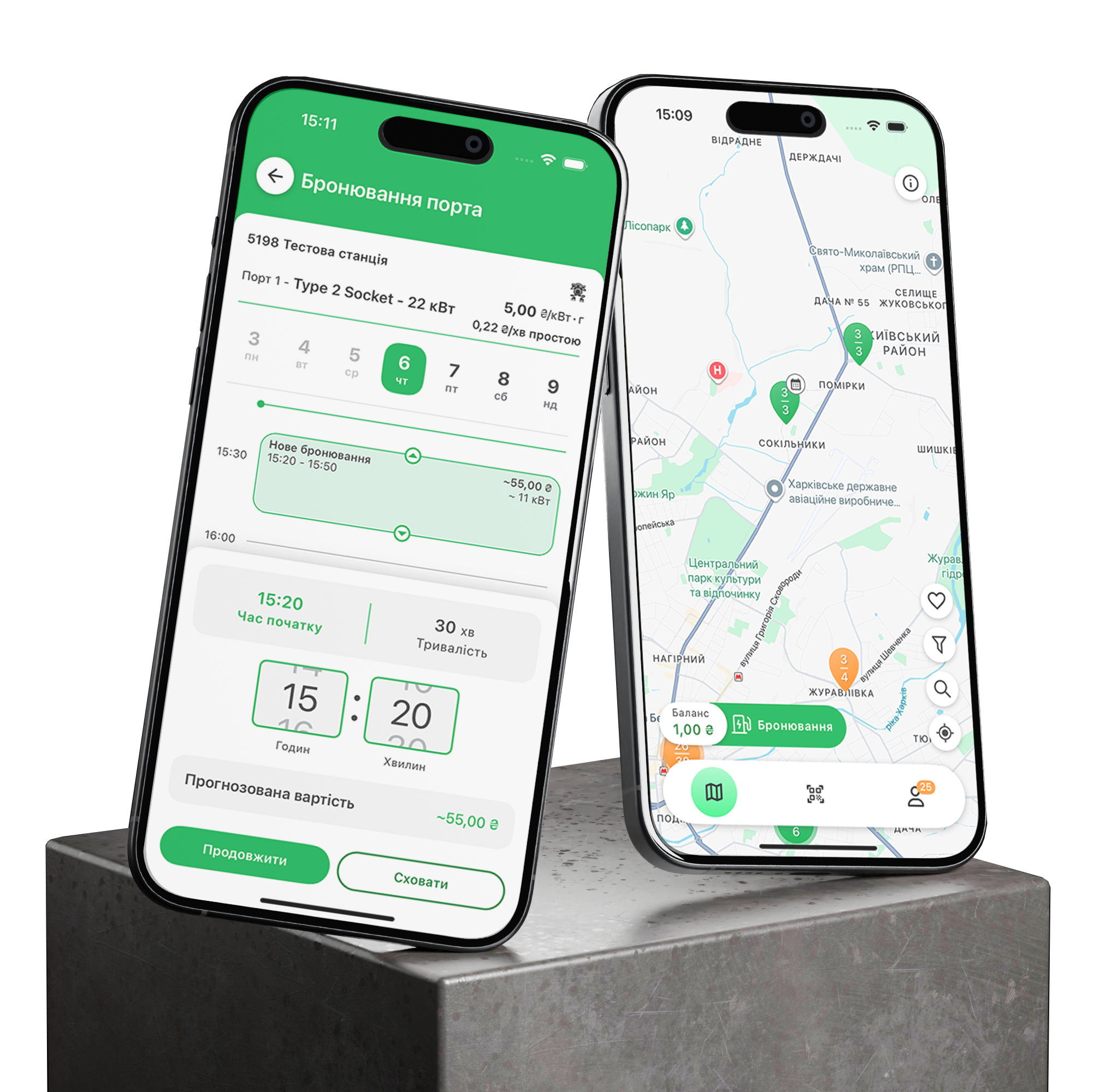
In the ECOFACTOR mobile app you can now book a time slot to charge your car.


Tap the "Booking" icon on the home screen.
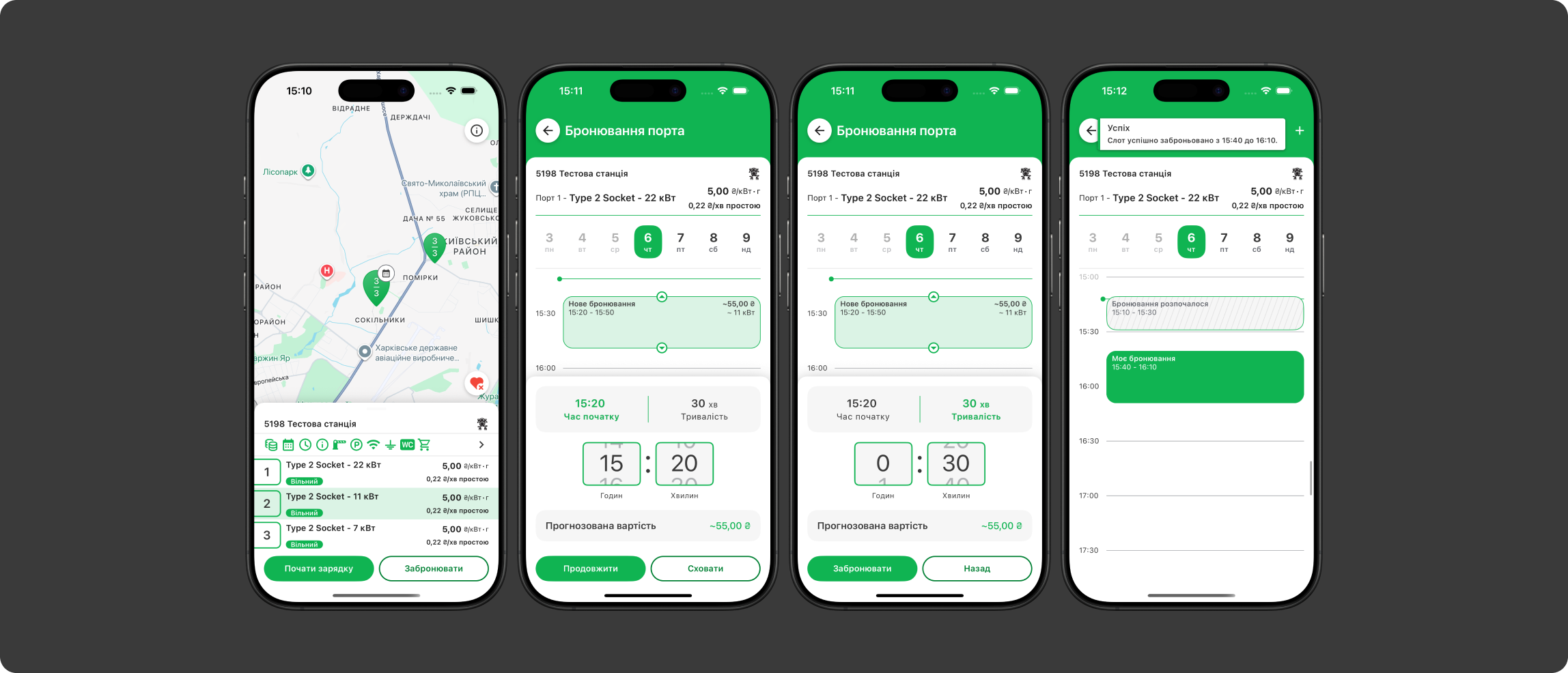
Find the booking button on the station details screen.
In the calendar, select the day, start time and charging duration.
Check the details and confirm your booking. You will see the message: "Slot booked successfully".
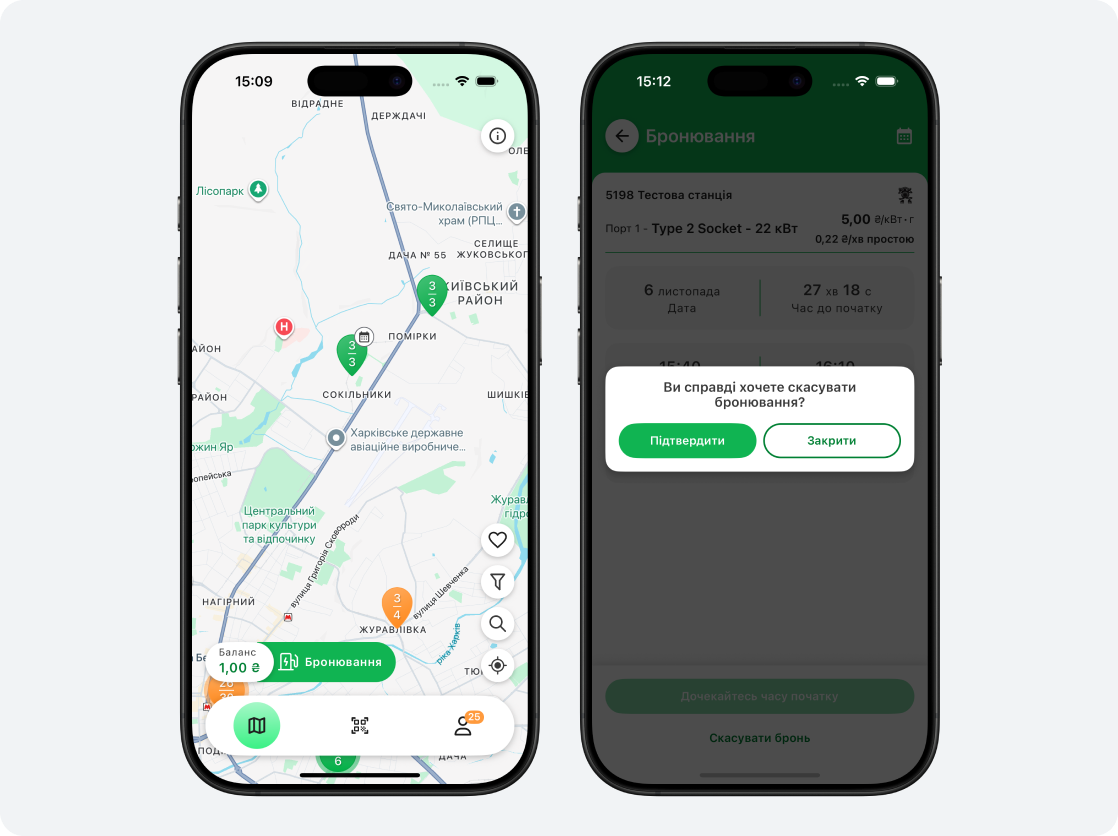
Tap the "Booking" icon on the home screen.
A list of your active bookings will open.
Choose the one you need and tap "Cancel booking".
Confirm the action — the system will cancel the booking without any penalties.
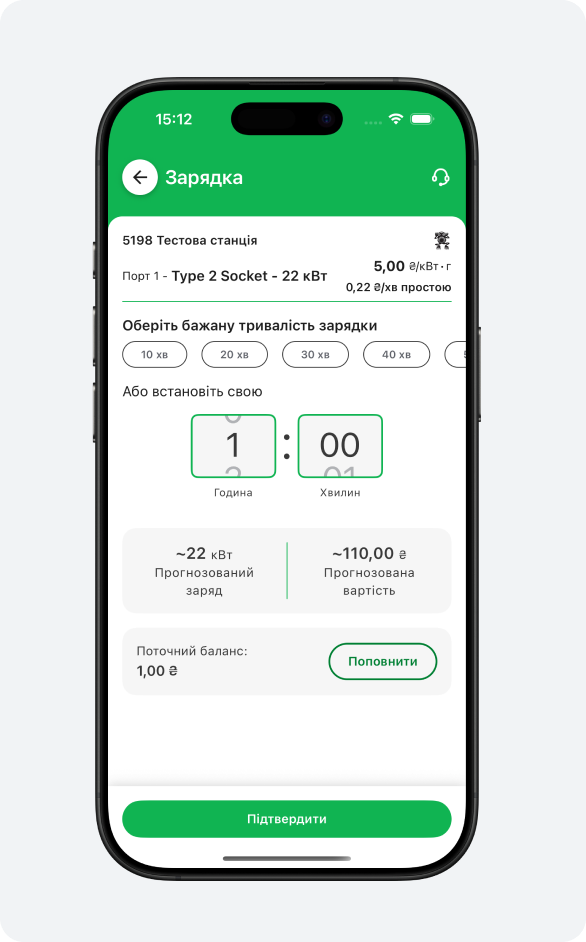
If you arrived at a station without a prior booking:
A booking cannot be edited — you can only cancel it and create a new one.
If a booking is not used, it is cancelled 15 minutes after the start time.
If a station is offline, the system will show a warning that it may be unavailable.

You can have a maximum of two active bookings in the calendar (created but not yet used).
Booking time may vary — from 1 to 12 hours depending on the station's power.

Cancelling a booking is always free, with no fines or penalties.
Leave a request and find out how fast it works
Your data has been sent successfully. We will contact you soon!